Suppliers and catalogs
Add the airlines, hotels, DMCs and insurers you work with and their price lists, and quote from them in seconds.
Every item on a proposal points at a supplier: the airline, hotel, DMC or insurer that sells you the service. Their catalogs are their price lists, and they save you typing the same hotel every time you quote it.
Create a supplier
- Go to Suppliers and press New supplier.
- Type the name, choose the Kind (airline, hotel, DMC, cruise, insurance, transport or other) and add their email, phone and notes: rates, contacts, booking quirks.
- Press Create supplier.
You can also create one on the fly while adding an item to a proposal, with + New supplier… in the list.
The supplier list
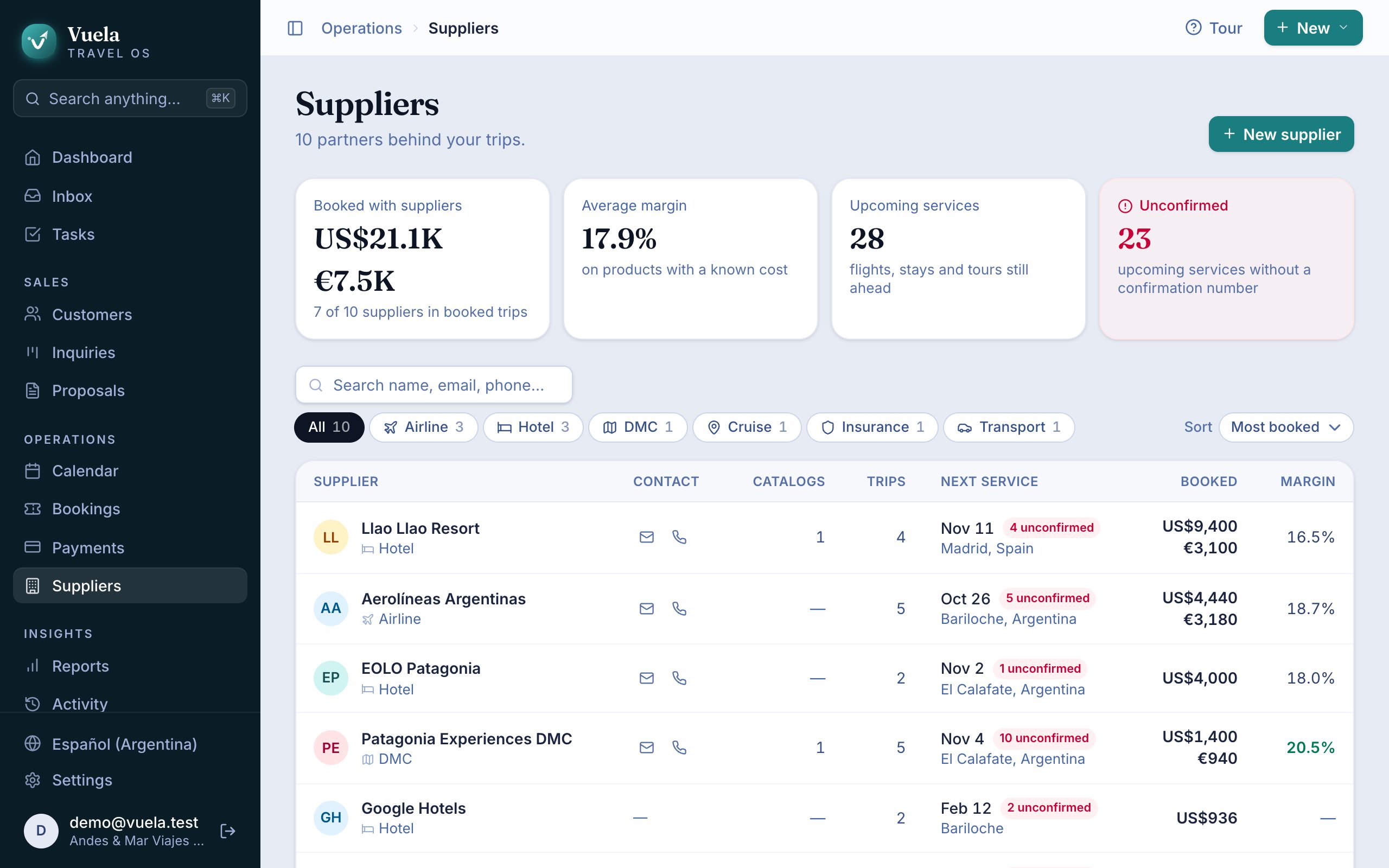
At the top you see how much you’ve booked with suppliers, your average margin, how many services are coming up and how many are Unconfirmed.
The table shows, per supplier, their catalogs, how many trips they’re on, their next service, how much you’ve booked and your margin. Sort by Most booked, Best margin or Next service to see who you work with most and who you earn most with.
Catalogs
A catalog is a price list: “Summer 2027 rates”, for example.
- Open the supplier and press New catalog.
- Give it a name, a Valid until date and a description.
- Press Create catalog, then Add product for each room, leg or tour, with its kind, description and Costs (one per currency, if you quote in more than one).
When a price list expires, press Archive. It stops showing up, but isn’t deleted.
Import a price list with AI
Got the price list in Excel? Don’t type it in.
- On the supplier, press Import with AI.
- Upload the file (.xls, .xlsx or .csv) and press Extract catalog.
An AI reads every sheet, skips the terms and conditions, and creates the catalog with all its products and prices. It usually takes a few seconds. Check the result: imported products are marked New.
Quote from a catalog
When adding an item to a proposal, type part of its name under Name. Vuela searches all your catalogs and, when you pick a product, fills in the supplier, kind and cost in the trip’s currency. All that’s left is the price.
History with a supplier
On the supplier’s page, Booked with this supplier lists every service you’ve bought from them, with its cost and trip.
Updated October 24, 2026